[Agile FAQ #7] Retrospectives Aren't Working... How to Escape To-Do Meetings and Reruns
Back to Top
To reach a broader audience, this article has been translated from Japanese.
You can find the original version here.
Thank you for reading this article. I'm Tomohiro Fujii from the Agile Group.
Sometimes in life it's necessary to "reflect." However, that reflection must always be for the purpose of "moving forward."
After covering the Daily Scrum, next we tackle questions about the Retrospective.
Question
# I've been running Retrospectives for four months using the KPT method (Keep = things to continue, Problem = issues, Try = things to try next). We generate plenty of Problems and Try items, and we generally execute the Try items that come up. Yet I don't feel the team is improving.
In the details, the Problems are often gaps in our work like "There is no design document for XX" or "Tests for YY haven't been written," and the Try items are "Create the XX document." On the other hand, whenever a Problem like "There was a communication leak" appears, the Try is always "Improve communication."
Is this really improvement?
The other day, my manager said, "If 'No XX document' keeps coming up, wouldn't it be better to use waterfall and write all the design documents at the start?" I couldn't answer. I feel something is off, but I couldn't say what's different, and I'm left feeling unsettled.
Answer
#Let's deal with that unsettled feeling first. Your manager's comment is half correct. In waterfall there's a rule to write the design document during the design phase, and as long as that rule exists, "No design document" is unlikely to occur. In other words, your manager is saying, "Your team has no rule to prevent omissions." That is an accurate observation. However, it's premature to leap to "So let's use waterfall." You don't need to get rules from a project schedule; you can create your own, and the place to create them is the Retrospective. The source of your unsettled feeling is that your Retro is not working as a venue to create rules, a fact your manager correctly identified from the outside.
The other two issues stem from the same place. Even though you're generating Problems and Try items and executing them, you don't feel progress because your team's way of working hasn't changed at all. "Create the XX document" adds one document, but the next sprint you'll face "No YY document." What disappeared was just one instance of an issue; the underlying mechanism that repeatedly produces similar issues—no assigned role for writing, no defined timing, no completion criteria—remains untouched. This is work, not improvement. Conversely, "Improve communication" lacks instructions on who will change what next week, so it cannot actually be executed. This is a wish, not improvement. The questioner's Retro never decided on a change to the way they work, which should sit between work tasks and wishes.
The task of a Retrospective is not to eliminate undesired events one by one, but to change the team's way of working that keeps producing those events by making one small change to try in the next sprint. The same goes for good outcomes: to intentionally reproduce what happened to succeed this time.
Below, we'll use two clues—Try item "granularity" and "placement"—to reconstruct the questioner's Retro.
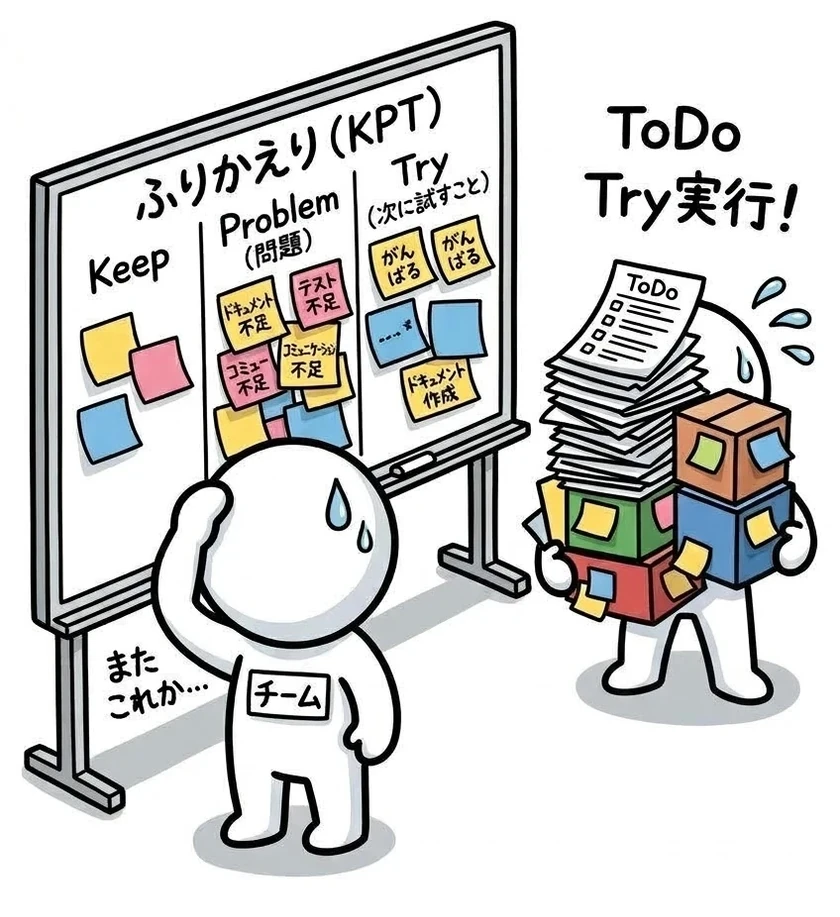
Figure 1: We keep adding and removing the same sticky notes—Listing Session and Reruns
Did You Have Any Reservations About "Limit Try Items and Always Execute Them"?
#In training, you learn:
- Retrospectives are held every sprint.
- Keep Try items to a few and always execute them.
The questioner is following these rules, yet it's not working.
Those who do follow them often ask:
- Isn't generating lots of Problems and Try items a good thing? It's far healthier than teams that generate none.
- Our Try execution rate is high. If that still isn't enough, what should I look at to see the Retro is working?
- How should I have answered my manager's "Then maybe waterfall is better"?
My answer is this: The quantity generated is a sign of health, but not the output of the Retro. You should look not at the execution rate of Try items, but at how many ways of working have changed. And in response to your manager, you should have said, "You're right, we have no rules. Starting next sprint, we'll define one rule at a time ourselves."
I'll explain why after we survey common unhelpful patterns in Retrospectives.
Common Retrospective Pitfalls
#Ineffective Retrospectives tend to wear a familiar face. Think about which of these most resembles your team's.
Type 1: The Listing-Only Session — Problems list task omissions, Try converts each one into a "Do," and the rest of the time is spent assigning ownership. Right after it’s done, it feels tidy, but the next sprint brings new omissions (sometimes the same number).
Type 2: The Rerun Session — Try items like "Make communication more frequent," "Add more tests," or "Consult earlier" appear with the same wording across sprints: no one objects, but no one can take action. Even if you think you've executed them, it's ambiguous what "executed" means, so they persist.
Type 3: The Completion-Rate Focus — The number of sticky notes and the Try completion rate become the measures of success. Lots of items are generated and cleared; the numbers look good every time, but the team's way of working never changes. The questioner's team is probably here.
Type 4: The Blame Meeting — The sticky note subjects are "who": "Mr. XX’s implementation was late," "Due to YY’s missed check." Speakers look to the leader, and remarks stay safe. It’s the same manager-focused reporting we saw in the Daily in Episode 2, but happening in the Retro.
Type 5: The Method-Hopping Style — Switching from KPT to Fun/Done/Learn to whatever next. New methods are fresh for a few sessions, and different sticky notes appear at first. But if what you do with them afterward is unchanged, you’ll revert in a few sessions.
Figure 2: Changing the method doesn’t help if you handle outputs the same way—you’ll revert in a few sessions

The Shared Assumption Behind the Five Types
#These five types may look different, but they stem from the same assumption: "If items are generated and executed, the Retrospective is working." Believing this leads you to judge success by lots of items, to prize a high execution rate, and to switch methods when items stop appearing. The five types are the result of faithfully following that faulty judgment.
Let's return to the three questions in light of this assumption.
Isn't generating lots of items a good thing? — Yes, it's good. Teams that generate none need ways to prompt generation first. But generation is just the entry to the Retro, not the exit. Sticky notes are material for finding repeated occurrences. "No XX document" alone is just one event. Only after counting how many times the same type of omission came up in the last three Retros can you uncover a systemic issue—like "No one is assigned to write, and the timing isn’t defined." Lots of material is good; ending with just material is the problem.
Is a high execution rate still not enough? — It depends on Try item granularity. Too fine-grained, and it's work; too coarse, and it's a wish. "Create the XX document" is too fine—eliminating only one instance. "Improve communication" is too coarse—changing no one's behavior next week. True improvement lies between: changing the way you work itself—e.g., "Route all design-change notifications through a single channel with a rotating duty for posting," or "Add 'Who is the audience and what are we saying?' to the Definition of Done and confirm it in reviews." How to tell the difference? One test: "If we do this, will the same type of Problem not appear in the next sprint?" Even with a high execution rate, if you're only executing work tasks or wishes, the number of actual process changes remains zero.
How should you have answered your manager? — You can agree with "We have no rules." The question is where to get the rules from. Waterfall provides them via the plan and development standards, telling you "when, who, and what to write." Scrum, as we saw in Episode 2, doesn't define "how to build." Instead, it gives the team the authority and responsibility to define how they work, with the Retrospective as the venue. A team whose Retro can't create rules looks less reliable from the outside than one that got rules from a plan. Your manager sees them that way, and rightly so. But returning to waterfall doesn't solve everything. As we saw in Episode 3, a design document written in a phase only captures the product at the time of writing. "No document" just becomes "The document exists but is outdated," and the substance of the problem remains. Also, plan-based rules can only be created once at the start, while Retro-based rules can be adjusted each sprint. So your answer should be, "You're right, our Retro isn't creating rules. We'll define our equivalent of the design phase in the Definition of Done ourselves. Starting next sprint, we'll count omission types and improve one mechanism at a time." Your manager's critique, as an external inspection, can actually be useful.
Why do people assume, "If items are generated and executed, the Retro is working"? — In the early stages, that really does work. New teams have blatant waste lying around; picking it up has an immediate effect. Eliminating just one event makes the team visibly better. That success experience solidifies "generate-and-execute" as the Retro's pattern. Once you've cleaned up the obvious waste and the remaining issues are systemic, that pattern stalls. Also, many members learned the ritual of a "reflection meeting" before Scrum: list problems, assign owners, and wrap up with "We'll be careful going forward." It's not that anyone is lazy; the classic ritual has just been poured into a new container.
So what is the Retro really for? In the last article I wrote that Scrum's foundation is empiricism, supported by three pillars: Transparency, Inspection, Adaptation. If the Daily is a small loop that cycles "What we do today" every day, the Retro is a loop for "How the team works" each sprint.
Transparency — What happened this sprint is visible as fact, not opinion: sprint goal achievement status, carry-overs, interruptions, wait times, and "how many times the same type of Problem appeared." Sticky notes only make sense when read against these facts.
Inspection — Comparing the facts to the sprint goal and Definition of Done to find repeated issues and the ways of working that produce them. This is where you distinguish single occurrences from systemic problems.
Adaptation — Decide on one change to your way of working, assign an owner and completion criteria, and include it in the next sprint plan. Changes are hypotheses, and you verify their effect in the next Retro.
When viewed through these three pillars, what's missing in the questioner's Retro becomes clear. They have transparency of events, but no inspection to find repetition, and no adaptation plans to change the way they work. Recast the Retro from a "session to eliminate events" to a "session to change one way of working." The prescription that follows provides steps for this.
Note: The Scrum Guide 2017 included the sentence, "The Sprint Retrospective includes at least one improvement action that the Scrum Team incorporates into the next Sprint." This sentence was removed in the Scrum Guide 2020, but I believe the intent remains valid: the outcome of the Retro should be changes to your way of working, reflected not as opinions but as items in the plan.
Prescription
#What follows are all tools. As I've pointed out before, if you merely mimic the form and feel "we're doing it," you'll just add another Method-Hopping Type. After trying, check the effect by the number of ways of working changed and whether the same type of Problem has decreased.
First, count the last three sprints' Problems by type
Before making changes, put numbers on the current situation. Gather the Problems from the last three Retros, group them by type (e.g., "Documentation," "Testing," "Communication Leaks"), and count how many times each type appeared. At the same time, count how many of the Try items in that period changed the team's way of working (procedures, criteria, channels, tools). Most teams find the first number is "three times each" and the second is "zero." Having these two numbers alone turns "the Retro doesn't feel like it's working" into the fact "the same type of Problem appeared three times, and the number of changes was zero," which you can explain directly to your manager.
(1) Separate single occurrences from repeats
Once all sticky notes are displayed, have everyone categorize them before discussion. Single-occurrence omissions that are happening for the first time go straight into the backlog without discussion. Only keep on the agenda those that have recurred or seem systemic. Make "Is this the first time, or has it happened before?" the facilitator’s opening phrase.
(2) Align the granularity of Try items
When crafting Try items from the remaining agenda, bump too-fine tasks up a level and break too-broad wishes down. For "Create the XX document," ask, "Who was impacted and how by its absence?" and "When and who was supposed to create it?" Elevate it to changing the Definition of Done or a checklist. For "Improve communication," ask, "What information, from whom to whom, when should have arrived?" and "Through which channel does it currently travel?" Lower it to changing that channel. The declaration of availability for dual-role members we saw earlier is an example of breaking down "Make communication more frequent" to the right granularity. A well-granulated Try can specify when, who, and what, be binary in execution, and be measured by the reduction of that Problem type.
(3) Limit to one Try item and add it to the backlog
Reduce the aligned Try items to one. One "This will definitely be done next sprint" is better than five "We'll try one of these." Assign an owner and completion criteria to the chosen item, add it as an official Product Backlog item, and include it in the next sprint planning. Elevating improvement from "good intentions in the Retro" to "planned work" is the most important step to stop reruns: it is the Retro's embodiment of Adaptation.
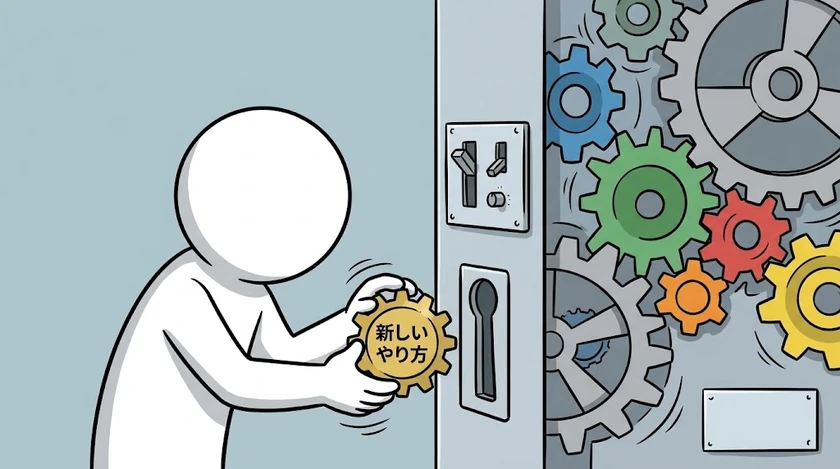
Figure 3: What changes are not the events themselves but the cogs of how you work
(4) Start each Retro with "What happened to last time's Try?"
Fix the first agenda item. Was last time's Try executed? Did the same type of Problem decrease? If not, was it mis-granulated or unexecuted? Spending these five minutes shows the team that nothing is left hanging, and each time you update the execution rate and the count of changed ways of working.
(5) The SM's questions should shift focus from events to process
Left alone, team members focus on events. The Scrum Master's job is to shift their focus to the way they work through questions. Here are some you can use:
- "Is this the first time, or how many times did this type of Problem appear in the last three Retros?"
- "Who was impacted and how because it didn't exist?"
- "Where in our Definition of Done or checklist is the procedure to create that documented?"
- "Next week, who will do what differently?"
- "If a different person were in the same situation, would the outcome differ?"
- "Did this one succeed by chance, or because we changed something?"
- "If we do this, will this type of Problem not appear next sprint?"
Conversely, avoid "Why didn't you do it?", "Who was responsible?", "What will you do next time?" They lead only to "We'll be more careful," pulling focus back to events and individuals.
(6) Make process changes visible to your manager
A prescription for teams who hear "Maybe waterfall is better." List the changes decided in your Retro—updates to the Definition of Done, channel changes, added checklist items—and show "This Problem type went from X occurrences to Y." If your manager can see that the team is creating its own rules instead of relying on a plan, the question shifts from "Don't you have rules?" to "What will you decide next?" Ask your manager to look at this list and the reduction in occurrences rather than the number of design documents. The team's ability to make its own rules shows here.
(7) If you're still stuck, change your perspective
Once (1)–(6) are in motion, method changes like thematic Retros (e.g., focusing only on quality this time) or a timeline review can be effective. Don't get the order wrong: if you only change how you generate items and leave the "post-generation" treatment the same, you'll revert in a few sessions.
Why This Question Repeats Every 30 Years
#For a long time, the rule "when, who, and what to write" was provided externally by a project schedule and development standards. The task of teams deciding their own way of working is something many sites have never experienced. Scrum handed that task to teams, but the teams weren't necessarily well trained to receive it. So initially they pick up the obvious waste and succeed, but once that’s gone they stall before the phase of deciding on processes. Observers see stalled teams and recall old methods that supplied rules, and say, "Then maybe waterfall." This dialogue will repeat with each new generation.
The value of a Retro is measured not by the number of sticky notes or the Try completion rate, but by how many ways of working the team has changed. If you can verify that this sprint you changed one process and added it to the next plan, you'll know the Retro is alive. With this criterion, you'll never run out of Retro topics; as long as the team isn't perfect—something I've yet to see—there are always more ways to improve.
Next time: "Stakeholders Have Stopped Attending Sprint Reviews"