Streamlining Project Development with Kiro × Sphinx
Back to Top
 アドベントカレンダー2025
To reach a broader audience, this article has been translated from Japanese.
You can find the original version here.
This is the Day 24 article of the Mamezou Developer Site Advent Calendar 2025.
Introduction
#On November 18, 2025, AWS announced the general availability of the AI-agent IDE Kiro(https://kiro.dev).
I previously wrote a review article based on the preview version. Since then, I’ve become a fan of Kiro and am now using it in my actual work.
The arrival of the AI-agent IDE “Kiro” has dramatically increased the speed of individual development and prototyping. However, as development scales up, a new challenge arises: how to manage the instructions (context) given to the AI.
To address this challenge, I introduced the documentation build tool “Sphinx.” So far, this approach has been successful. In this article, I will introduce this development style.
1. The "Scale Barrier" in Traditional Kiro Development
#Kiro is highly capable, but when applied to fairly large development projects, you face two limits in context management:
-
Bloating and confusion of requirements.md
The basic way to use Kiro is to write requirements in a
requirements.mdfile within the.kiro/specsdirectory. However, as features increase, this file can balloon to hundreds or thousands of lines, causing the AI to lose context and making maintenance difficult for humans. -
The directory-splitting dilemma
One countermeasure is to create subdirectories by feature under
.kiro/specsand distributerequirements.mdfiles accordingly. However, this presents a “chicken-and-egg” problem. In the early stages of development and requirement analysis, you don’t yet know the optimal feature divisions. At the stage where you want to refine requirements through conversation with Kiro, predefining a rigid directory structure is inappropriate and reduces flexibility.
2. Solution: Structured Document Management with Sphinx
#What I propose is to adopt the well-known Python-based documentation tool Sphinx as the management and build foundation for requirements specifications and design documents.
Sphinx is not just a manual-authoring tool. Because it manages structured text-based documents, it has extremely high affinity with Kiro.
3. Five Benefits of Introducing Sphinx
#By managing requirements specifications and design documents as a Sphinx project, you can achieve the following effects:
-
Improved readability for humans (HTML/PDF conversion)
- You can build multiple text files and output them as easy-to-read HTML or PDF.
- Developers and stakeholders can view the overall picture in the browser as an organized “specification document” rather than as code-like text files.
-
Context organization through document structure
- Using Sphinx’s
toctreefeature, you can organize files by function or layer while integrating them into one coherent document. - When instructing Kiro, you can clearly define the scope, for example, “Refer to auth.rst (authentication feature) this time.”
- Using Sphinx’s
-
Readable by Kiro because it’s text-based
- Since Sphinx source files are plain text, Kiro can directly read and understand the documentation within the project.
- The “specification document itself” functions as a prompt to the AI.
-
Context sharing through diagrams (images)
- Kiro can recognize images placed in the Sphinx project, such as screen mockups, ER diagrams, and analysis models.
- By instructing, “Implement according to this diagram,” you can share nuances that are difficult to convey in text alone.
If image sizes are too large, they may fail to load. (From the author’s personal experience)
- Automated generation flow from overview to detailed specification
- A human writes a rough “system overview” or “business flow,” and based on that, can ask Kiro to “create use case descriptions for each feature.”
- This enables upstream automation where the AI writes the documentation itself, finalizing the specifications before moving on to implementation.
4. Practice: Kiro × Sphinx
#Here are concrete examples of how to instruct Kiro in practice.
4.1. Example Initial Prompt for Creating a New Project
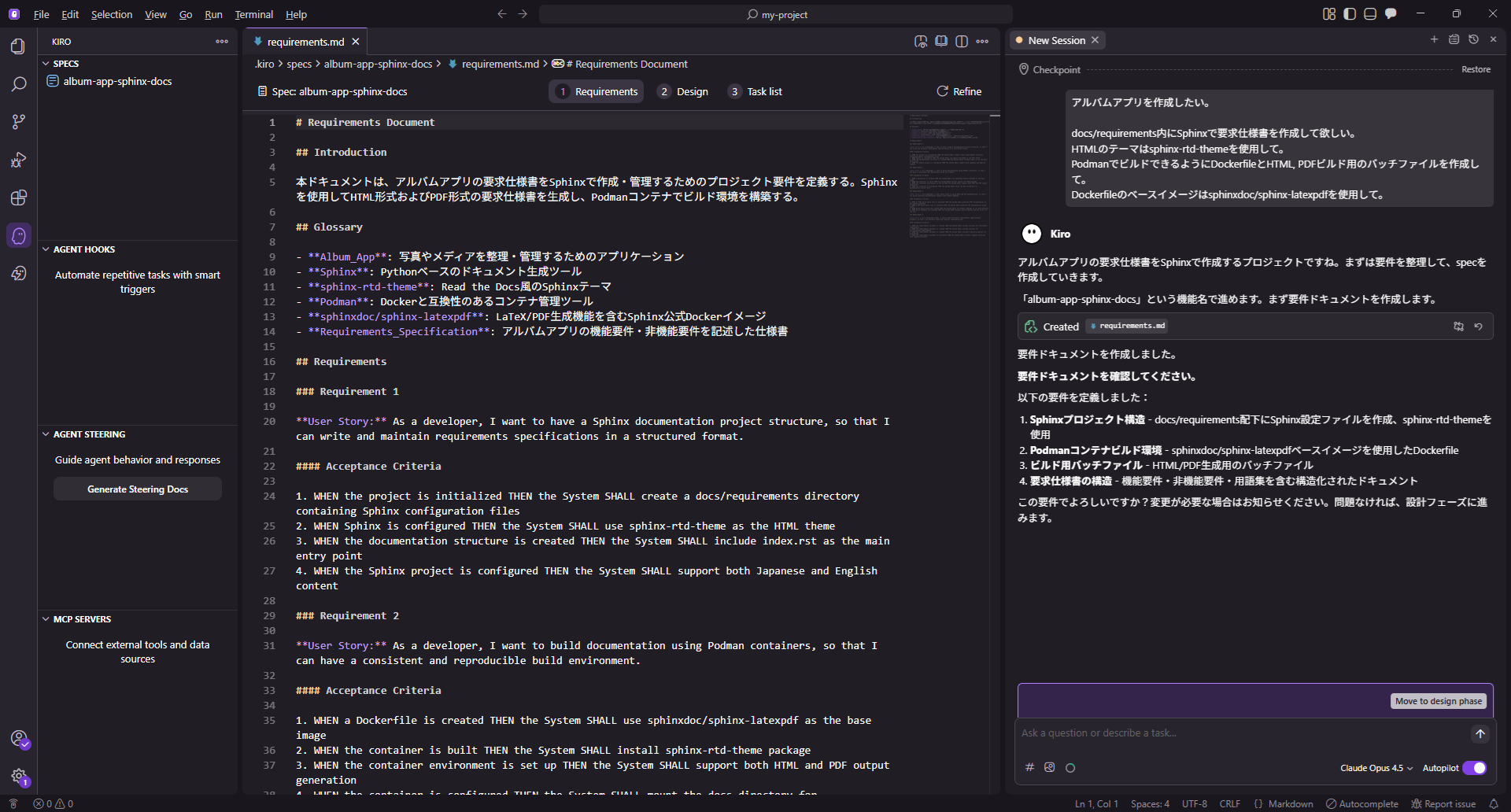
#Enter the following prompt in Spec mode:
I want to create an album app.

Please create a requirements specification using Sphinx under docs/requirements.
Use sphinx-rtd-theme for the HTML theme.
Create a Dockerfile and batch files for building HTML and PDF so that it can be built with Podman.
Use sphinxdoc/sphinx-latexpdf as the base image for the Dockerfile.
Kiro starts a project to create the requirements specification.
If you have a rough idea of what to write in the requirements specification, you can also instruct the document structure:
Write requirements.md and the requirements specification in Japanese.
Organize the document structure as follows:

index.rst      # Main table of contents
├ overview/
│  └ index.rst # System overview
├ usecase/
│  ├ index.rst         # Use case table of contents
│  ├ uc01-login        # UC01_Log in
│  ├ uc02-browse       # UC02_View album
│  ├ uc03-upload       # UC03_Upload content
│  ├ uc04-edit         # UC04_Edit content
│  ├ uc05-delete       # UC05_Delete content
│  └ uc06-manage-users # UC06_Manage users
├ screen/
│  ├ index.rst         # Screen specification table of contents
│  ├ login.rst         # Login screen
│  ├ main.rst          # Main screen
│  ├ edit.rst          # Edit screen
│  └ manage-users.rst  # User management screen
└ changelog/
   └ index.rst         # Revision history
The content to include in the requirements specification will vary depending on the project.
This structure is not mandatory, so adapt it flexibly.
Below is the specification document created by the above instructions. Even though no requirements were entered, the AI has taken the initiative to imagine and write the specifications.
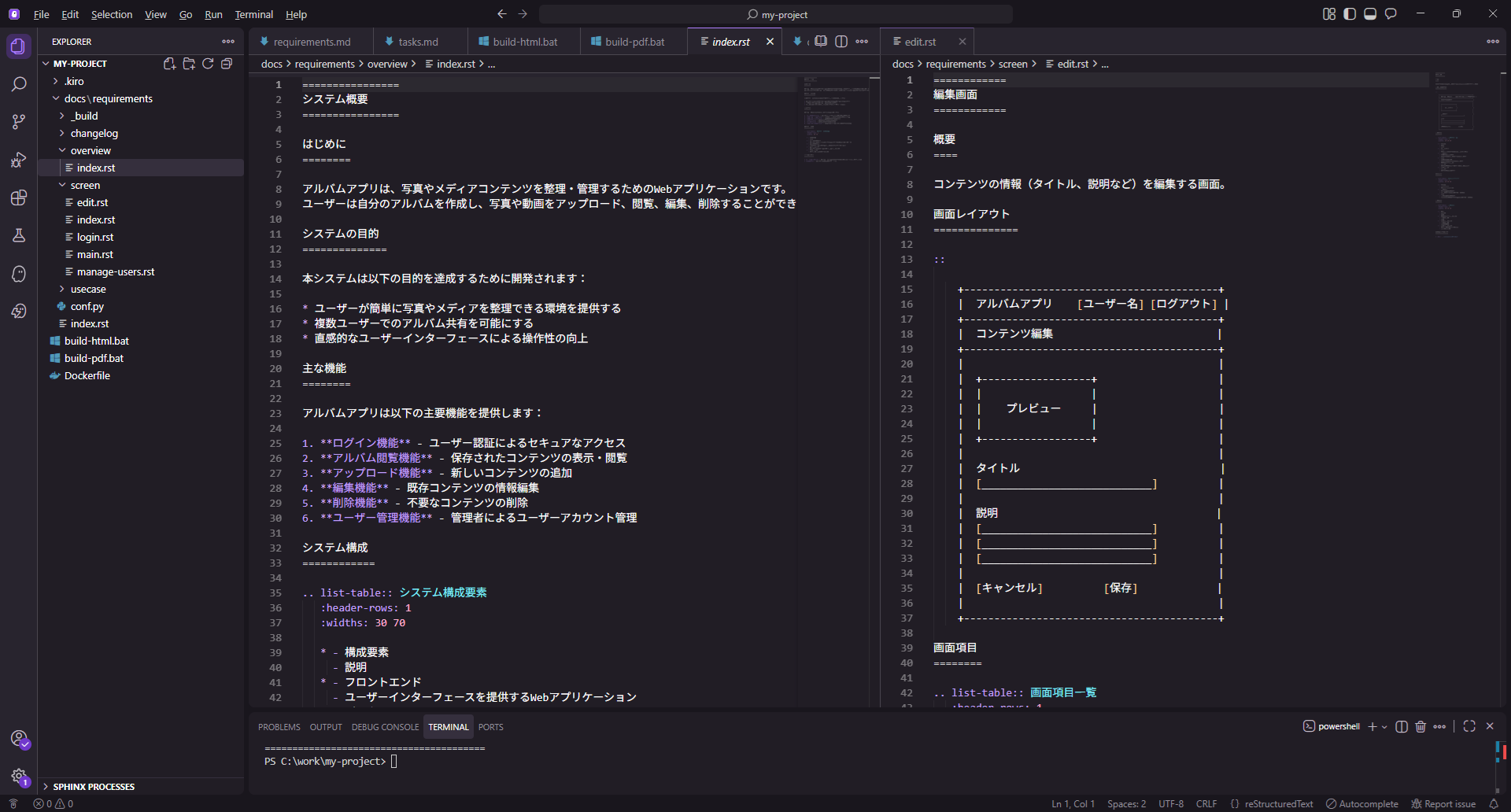
The batch file required minor adjustments, but the output is clean when built as HTML or PDF.
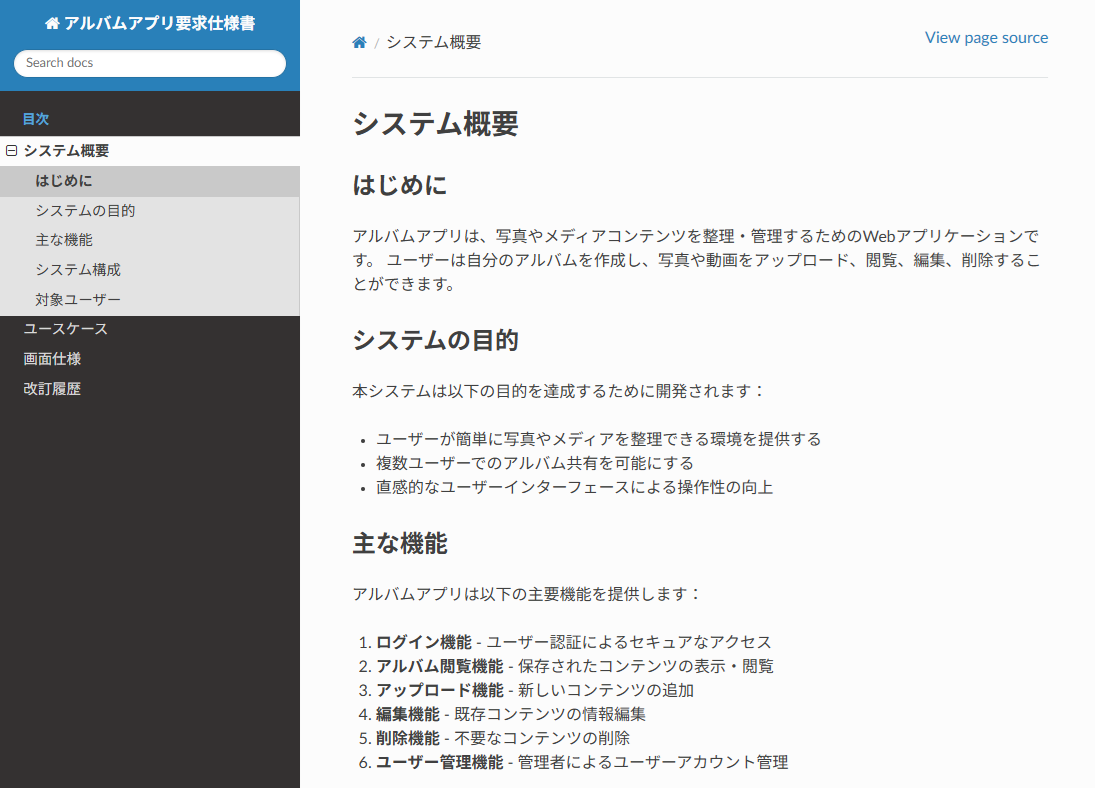
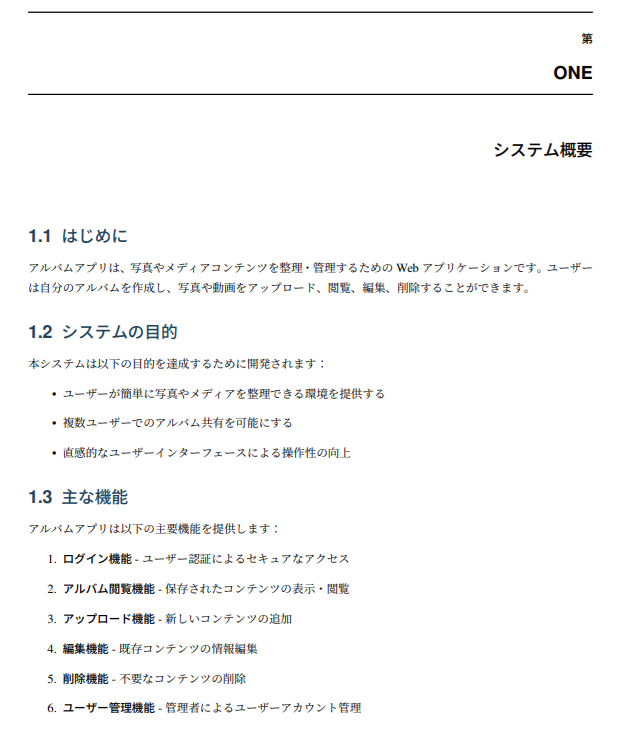
The PDF has some awkward styling, but you can correct it without specialized TeX knowledge by consulting with Kiro as you go.
4.2. Example Prompt for Editing the Requirements Specification
#In addition to manual edits, you can list requirements in Spec mode like the example below to have them revised:
Regarding the album app specification in docs/requirements, I want it as follows:

Use Google accounts for user authentication.
Only users with administrator privileges can add or remove users who can log in.
Users with administrator privileges should be defined in the backend application's configuration file.
The app should allow uploading not only photos but also videos.
The maximum size of uploadable files should be 100MB.
The allowed file extensions for uploads should be JPG, PNG, HEIC, MP4, and MOV.
Extract the date from the file's metadata, create a directory following the pattern '/data/pict/<YYYYMMDD>', and save the file in it.
Generate a thumbnail image of the file, create a directory following the pattern '/data/thumb/<YYYYMMDD>', and save the thumbnail in it.
Display thumbnails in the photo list.
Thumbnail images should be no more than 300 pixels in width and height.
4.3. Example Prompt for Creating the Design Document
#Once the requirements specification is written, create the design document as well. Issue the following instructions in Spec mode:
Based on the album app specifications in docs/requirements,
please create an architecture design document using Sphinx in docs/design.

Use Angular for the frontend and ASP.NET Core for the backend.
Both the runtime and development environments should run on Podman containers.
The design document created with the above instructions is shown below.
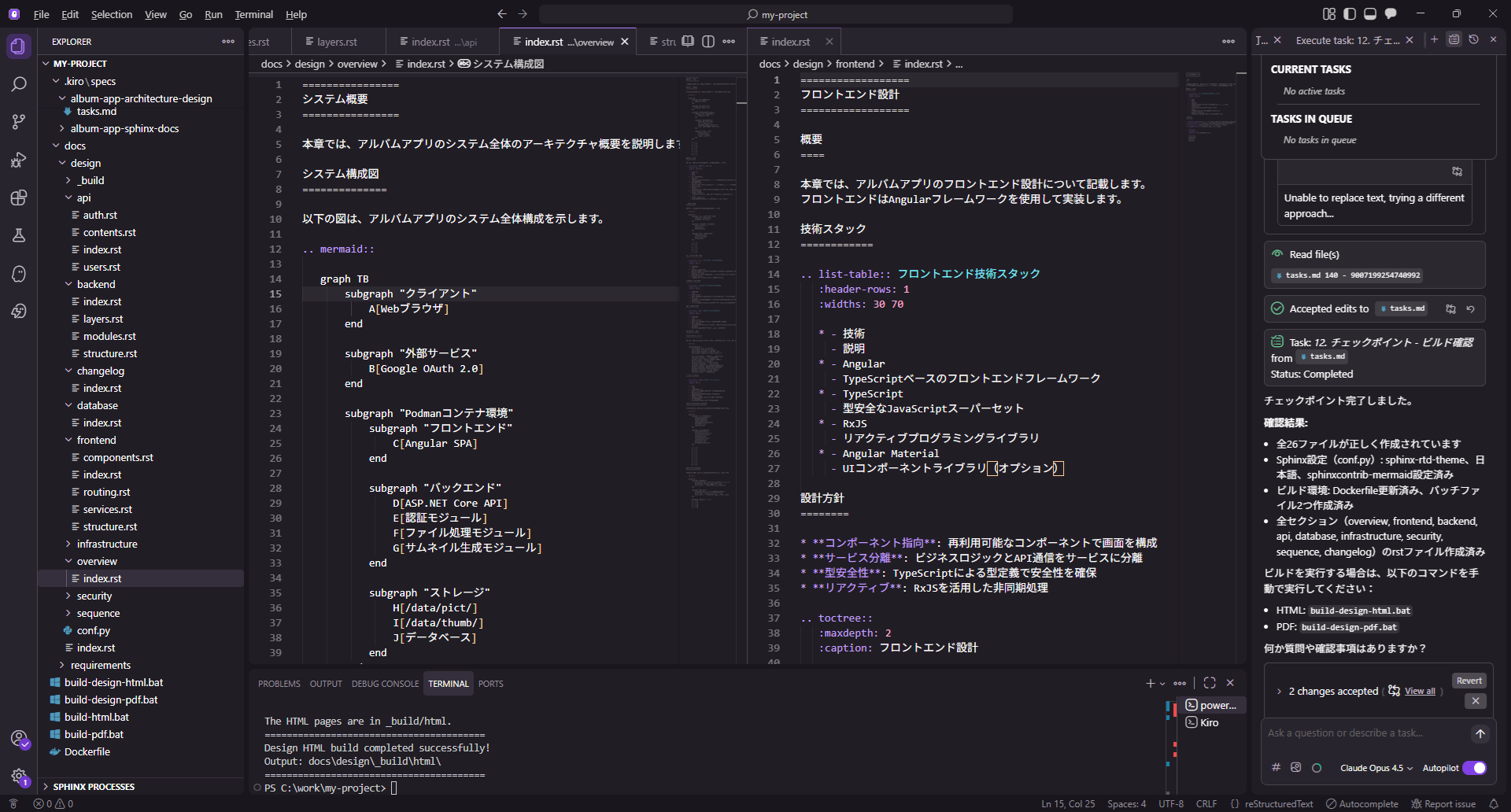
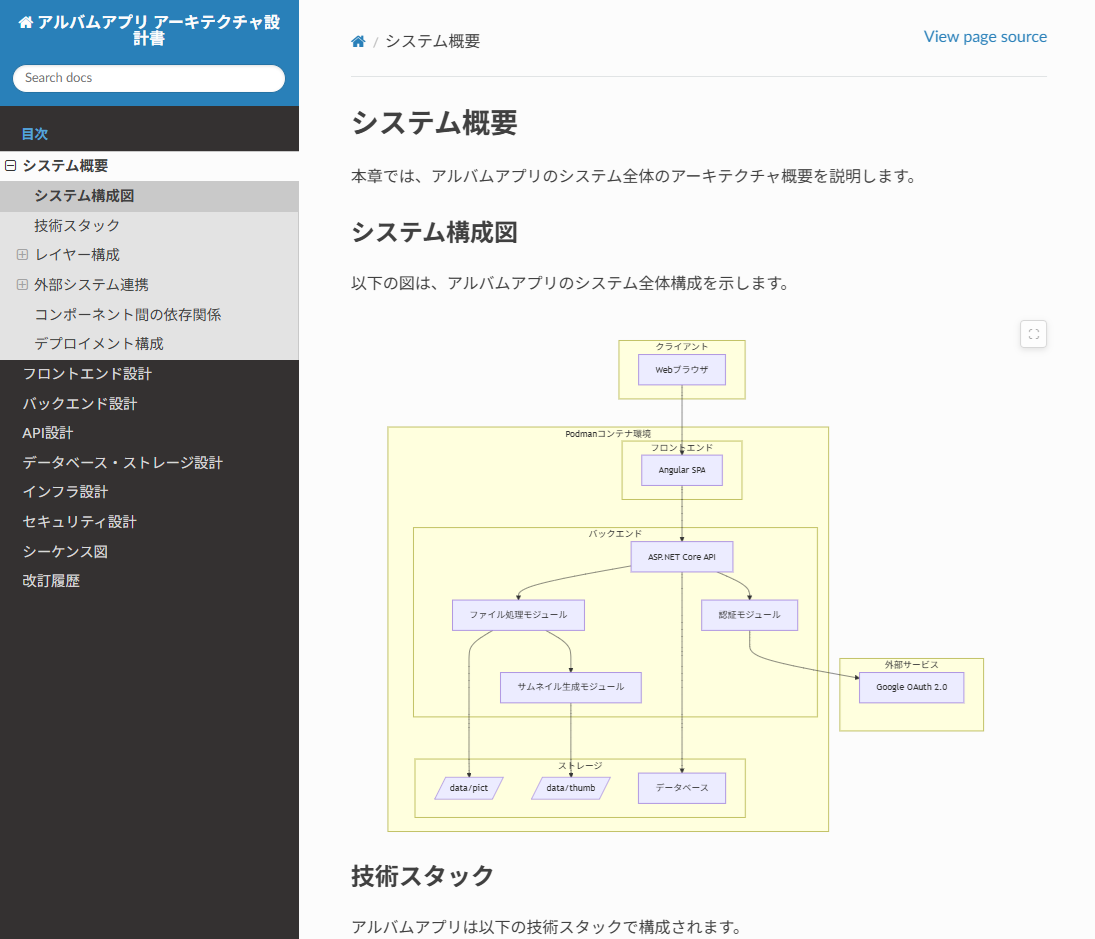
Since the sphinxcontrib-mermaid extension was installed in the Docker image, building the document also displayed the diagrams drawn by Kiro in Mermaid.
4.4. Example Prompt for the Implementation Phase
#In the implementation phase, give instructions in Spec mode as follows:
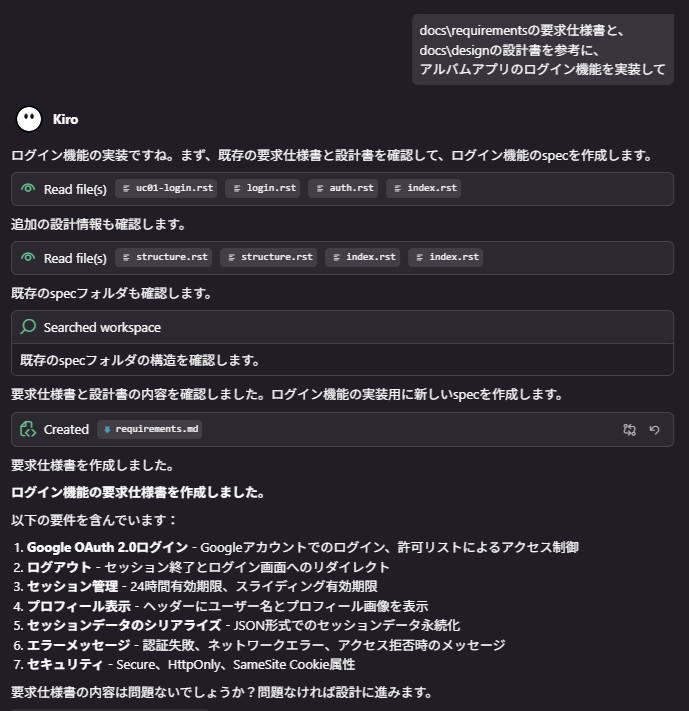
Implement the album app's login feature using the requirements specification in docs\requirements and the design document in docs\design as references.
With just this instruction, Kiro searches for the information needed for the login feature and creates the requirements.md file.
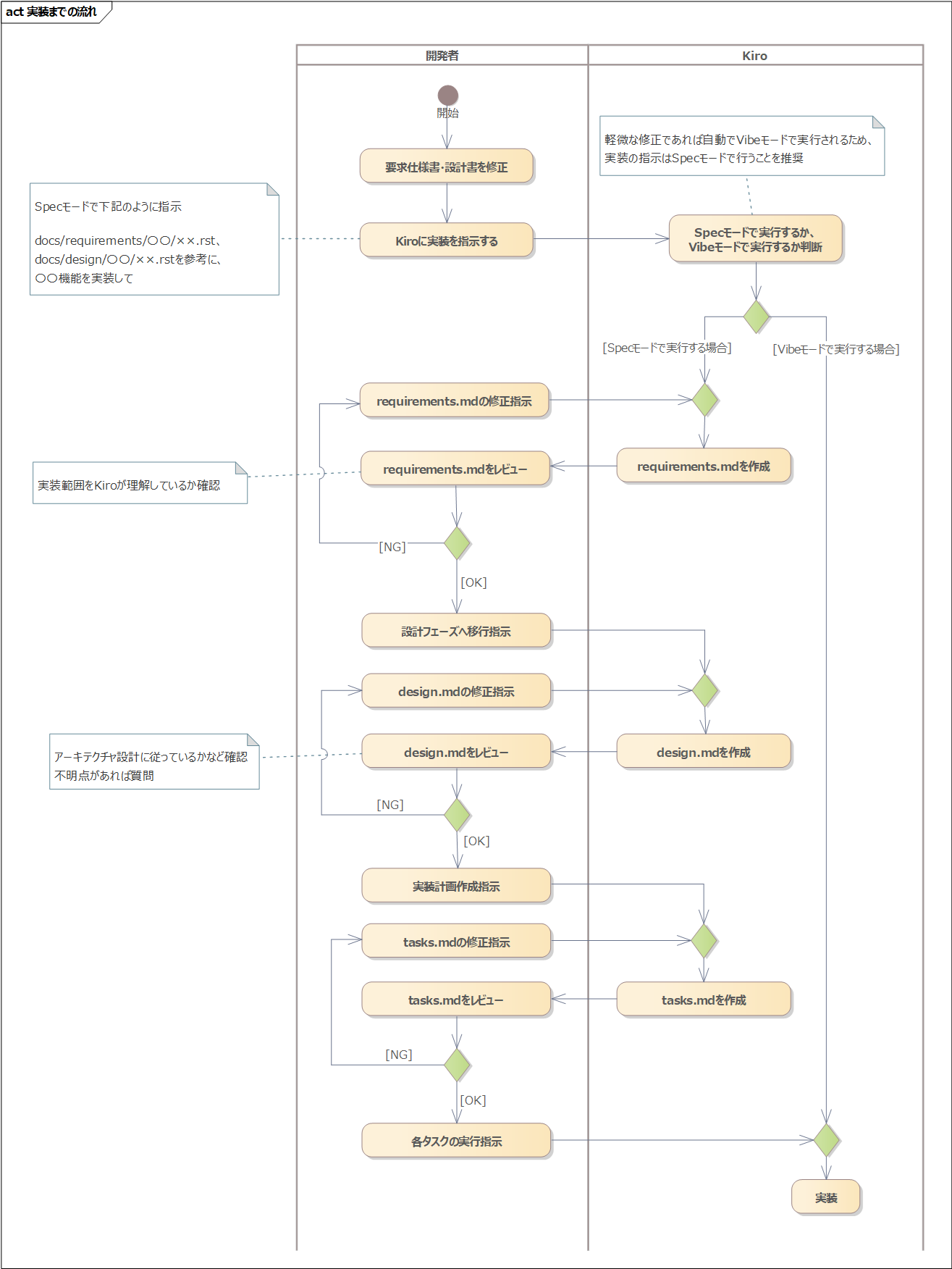
After this, you just follow the flow diagram below to proceed to implementation.
Conclusion
#By introducing Sphinx, requirements specifications and design documents can be managed in both “formats that are easy for humans to read” and “formats that are easy for AI to process.”
With the method introduced here, it should become easier to use Kiro even in large-scale development projects.
I hope this article serves as a reference for your future development.
