AIエージェントとシステムをつなぐMCP入門(StreamableHTTPステートレス実装編)
Back to Top
はじめに
#本ページは「AIエージェントとシステムをつなぐMCP入門」の続編です。
今回はStreamableHTTPで通信するMCPサーバー(ステートレス)の実装について説明します。
前回のstdio実装編はMCPクライアントがサブプロセスとして実行しローカルで完結する構成でした。StreamableHTTPはHTTP経由でMCPサーバーを公開し、複数のMCPクライアントから利用可能な構成です。
MCPサーバーがWebAPIを呼び出してMCPクライアントに最新データを参照させる用途に向いています。
また、ステートレスは、リクエストごとに処理が完結するため、ライフサイクルの管理が単純で扱いやすいのが特徴です。
文量が多くなったので、ステートレスとステートフルは分けて説明します。
本ページで掲載しているコードはこちらで公開しています。
連載:AIエージェントとシステムをつなぐMCP入門
今回使用するライブラリなど
#- npm@11.11.1
- node@22.22.0
- typescript@6.0.3
- @modelcontextprotocol/sdk@1.29.0
- zod@4.3.6
簡単なサーバーを実装
#簡単にMCPサーバーを実装して動作確認します。
サーバーの実装
#stdioでも触れましたが、基本的な要素(「サーバーインスタンスの生成」「ツールの登録」「起動処理」)は同じです。
stdioに比べて特色のある「起動処理」について説明します。
コードの全体はこちらをご覧ください。
起動処理
- 受け付けるエンドポイントを定義
トランスポート設定、ツール登録およびレスポンス後処理などを定義- StreamableHTTPなので、
StreamableHTTPServerTransportのインスタンスをconnectの引数に設定します。 - ステートレスとしているので、セッションIDの振り出しもありません。
app.post("/mcp", async (req, res) => {
  const server = createServer();
  const transport = new StreamableHTTPServerTransport();

  try {
    // 1: 下記コラム参照
    await server.connect(refineTransport(server, transport));
    await transport.handleRequest(req, res, req.body);
  } catch (error) {
    console.error("Error handling MCP request:", error);
    if (!res.headersSent) {
      res.status(500).json({ jsonrpc: "2.0", error: { code: -32603, message: "Internal server error" }, id: null });
    }
  } finally {
    await transport.close();
    await server.close();
  }
});
1. 引数型に合わせるため、型アサーションで型を調整していますStreamableHTTPServerTransportはTransportを実装しています。
ただし、今回使用したバージョンでは、Transportが定義している振る舞いとStreamableHTTPServerTransportの定義に差異があります。(oncloseはその一例)該当箇所を部分的に掲載しています// transport.d.ts export interface Transport { onclose?: () => void; } // streamableHttp.d.ts export declare class StreamableHTTPServerTransport implements Transport { set onclose(handler: (() => void) | undefined); get onclose(): (() => void) | undefined; }server.connectはTransportを引数型としていますが構造が合わないため、型アサーションで調整しています。型調整に使用しているコードexport const refineTransport = (server: McpServer, transport: StreamableHTTPServerTransport) => { return transport as Parameters<typeof server.connect>[0]; };
- StreamableHTTPなので、
- 拒否するエンドポイントを定義
拒否したいエンドポイントは405などのレスポンスを定義します。app.get("/mcp", (_req, res) => { res.writeHead(405).end(JSON.stringify({jsonrpc: "2.0", error: {code: -32000, message: "Method not allowed."}, id: null})); }); - ポートにバインディング
指定したポートにバインディングします。app.listen(MCP_PORT, (error?: Error) => { //omit });
サーバーの動作確認
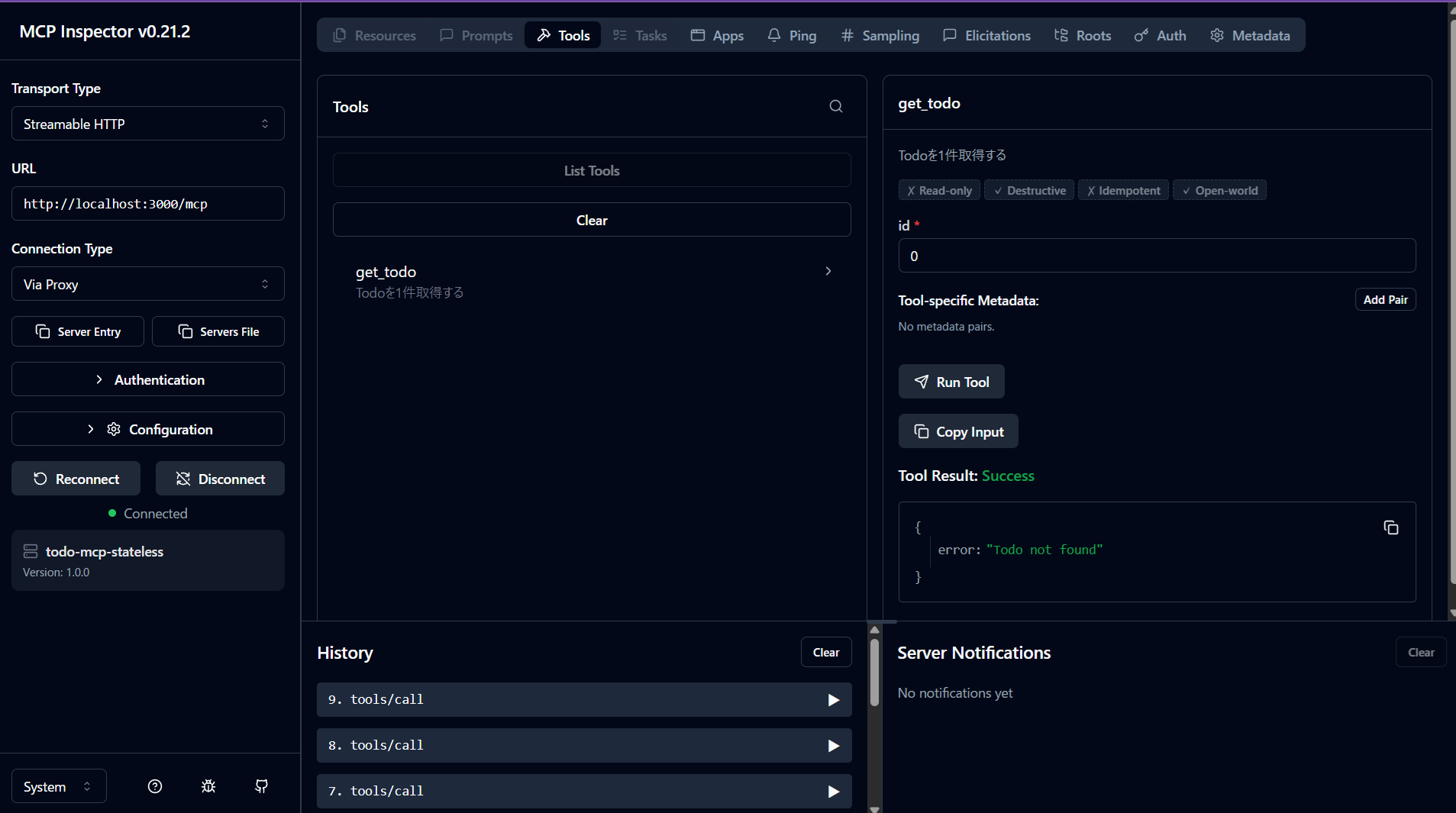
#MCP Inspectorを使って、同じ動作を確認します。
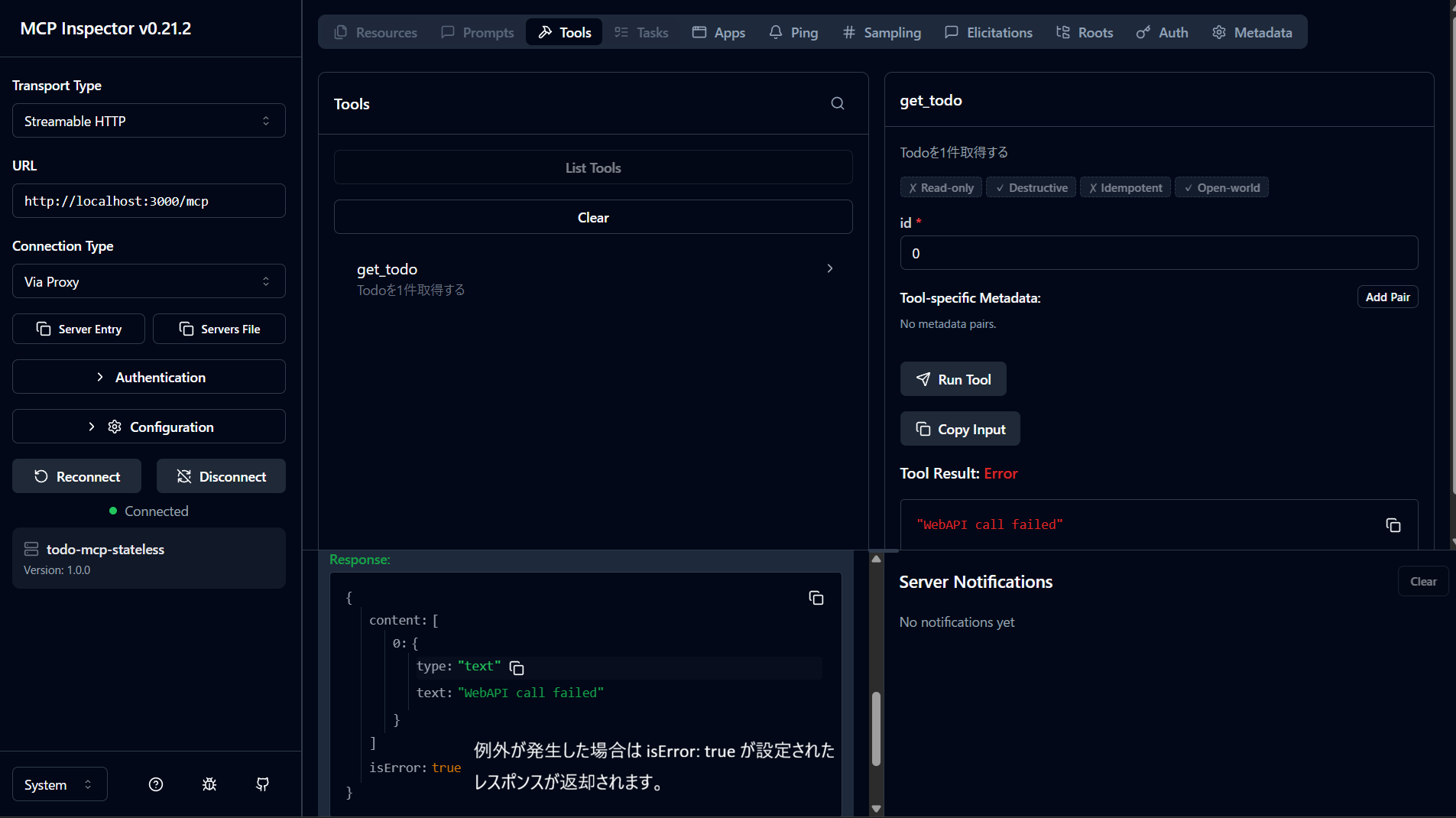
接続先のAPIサーバーを止めてツールを実行して、表示を確認
まとめ
#- StreamableHTTPのステートレス実装では、リクエストごとにMcpServerとTransportを生成し、処理後にクローズすることで、シンプルなライフサイクルを保てます。
- MCP SDKはマイナーバージョン更新でも型定義や挙動差分の影響を受けることがあるため、依存バージョンは固定し、更新時は検証手順を用意して段階的に確認するのが安全です。
- 本編では最小構成でステートレスの流れを確認しました。APIのCRUDを網羅したサンプル実装もこちらに公開しているので、必要に応じてご参照ください。
- 次編ではステートフル構成との違い(セッション管理とサーバーライフサイクル)を扱います。
