Getting Started with SysMLv2 Modeling Using the Free OSS Tool SysON (5): Creating Actions
Back to Top
To reach a broader audience, this article has been translated from Japanese.
You can find the original version here.
In previous articles, we introduced how to create Part Definitions, Part Usages, and Packages.
Starting with this article, we will perform behavior modeling.
At the time of writing, the latest stable version of SysON is v2025.12.0, but in this article we will continue to use v2025.8.0. A quick look at the documentation suggests that there aren't any major feature additions between v2025.8.0 and v2025.12.0. However, please note that the behavior of the most recent releases, including future ones, may differ in some respects.
Creating an Action Definition with Parameters
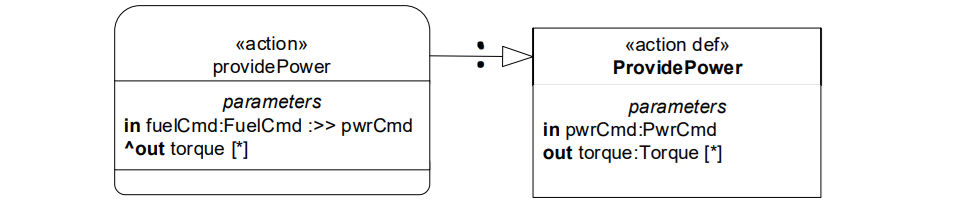
#Let's create the diagram from slide 50 of "Intro to the SysML v2 Language-Graphical Notation.pdf".
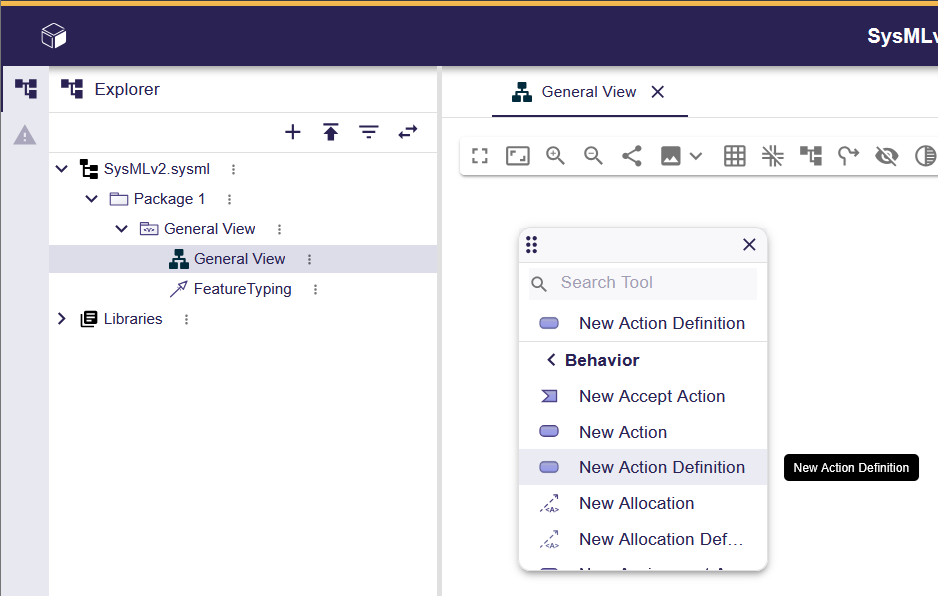
Open the General View, right-click in the editor screen, and select "Behavior" > "New Action Definition" from the context menu.
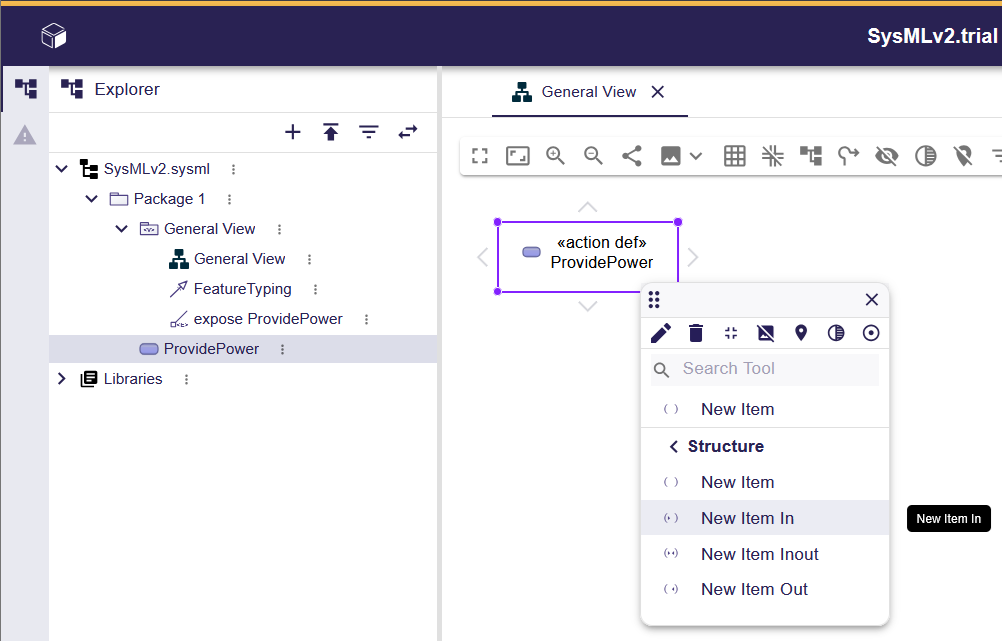
Change the name of the created Action Definition to "ProvidePower". For instructions on how to do this, see previous articles.
Next, let's add parameters.
Right-click on "ProvidePower" and select "Structure" > "New Item In" from the context menu.
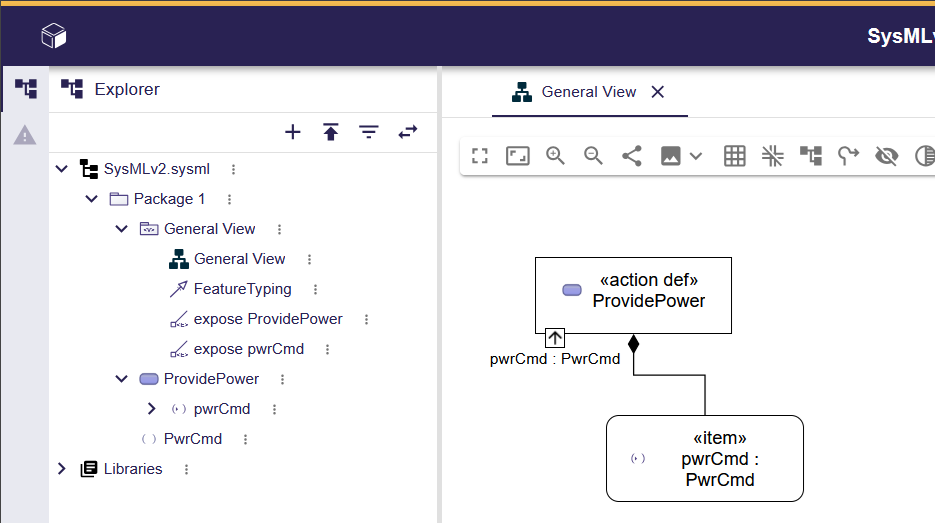
Change the newly added Item to "pwrCmd : PwrCmd". Notice that "PwrCmd" has been added to the tree in the left sidebar. This is the Item Definition for "pwrCmd". When you drag and drop "PwrCmd" from the tree onto the editor, a definition link is displayed between it and "pwrCmd".
Select "ProvidePower" again, hover the mouse cursor to the right of the name to reveal the eye icon, and click it. In the "Manage Visibility" context menu that appears, turn on the "parameters" checkbox and turn off the "pwrCmd : PwrCmd" checkbox.
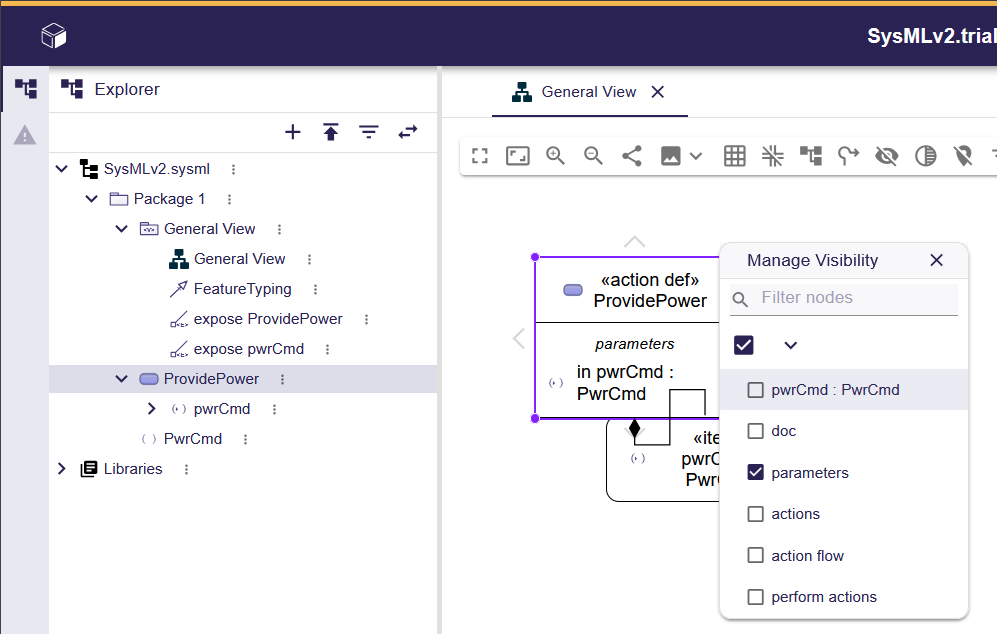
Remove the "pwrCmd" item from the diagram (not from the model).
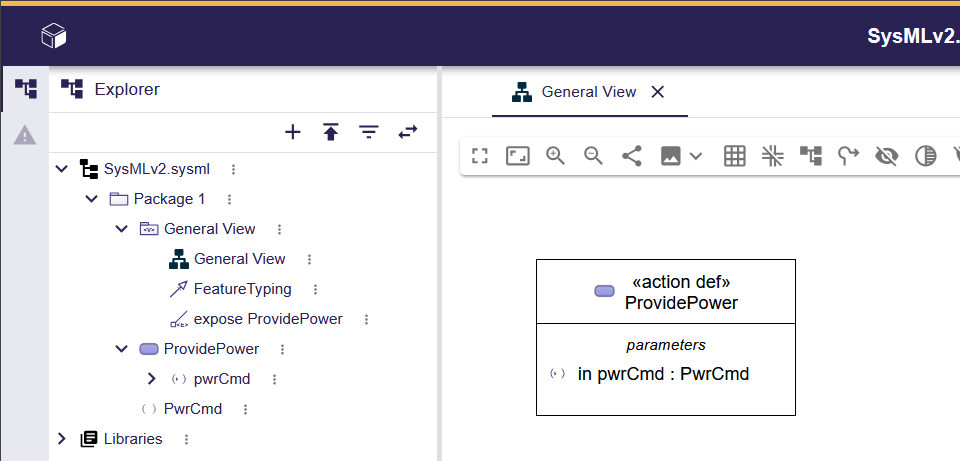
In the same way, add "torque : Torque". As with "pwrCmd : PwrCmd", "Torque" will be added to the tree in the left sidebar.
You can change the parameter directions (in, out, inout, none) using the "Direction" radio buttons in the Details area of the right sidebar.
In this example, "torque" is an array. Change "torque : Torque" to "torque[*] : Torque". In the right sidebar's tree, a "MultiplicityRange" containing "LiteralInfinity" will be added under "torque".
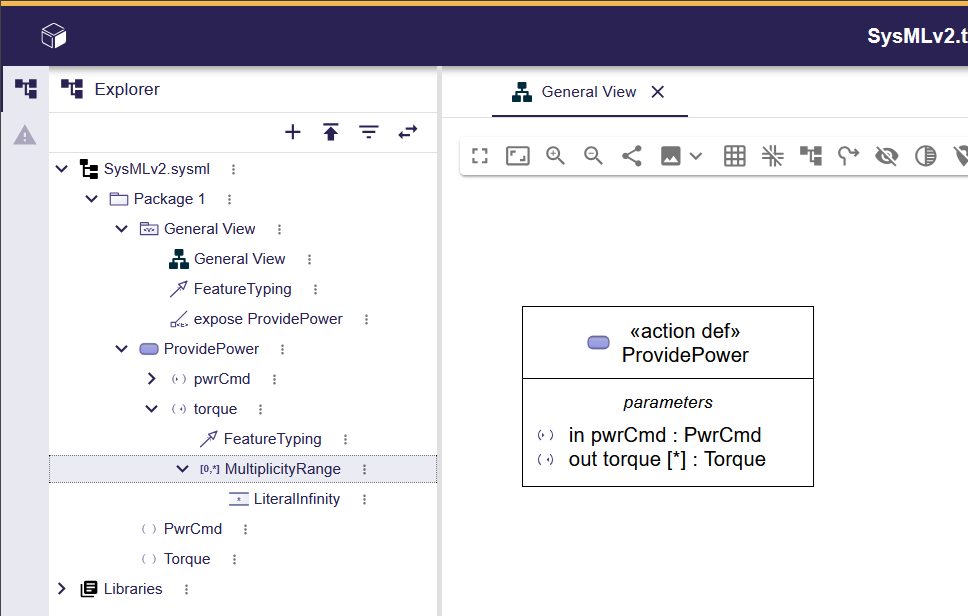
In the example, it's written as "torque : Torque [*]", but in SysON v2025.8.0, the multiplicity was ignored when using this notation.
Creating an Action Usage from an Action Definition
#Right-click in the editor screen, and from the context menu select "Behavior" > "New Action". Change the name of the created Action Usage to "providePower".
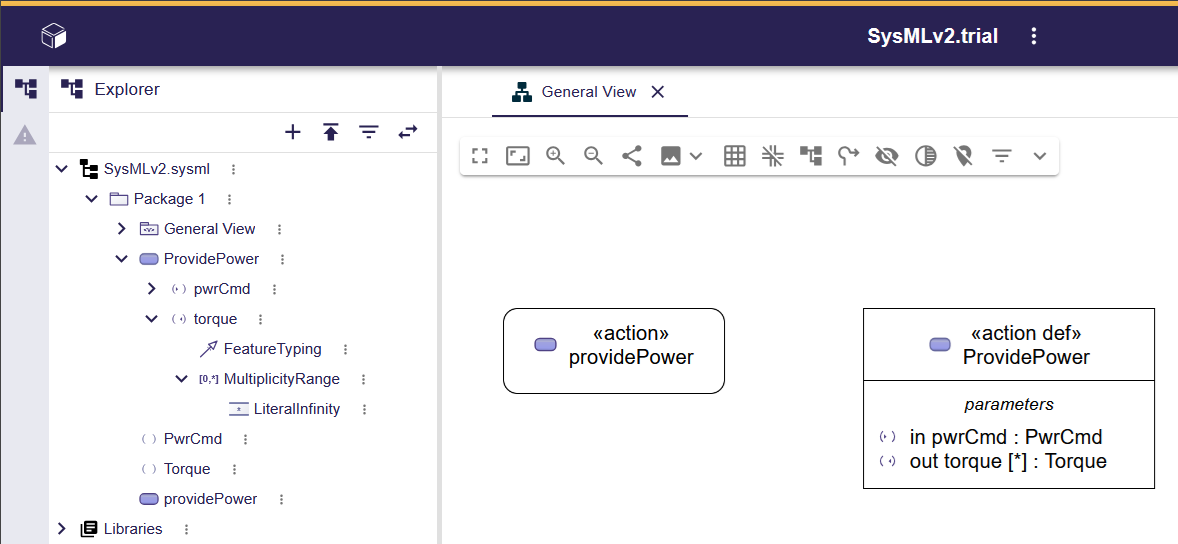
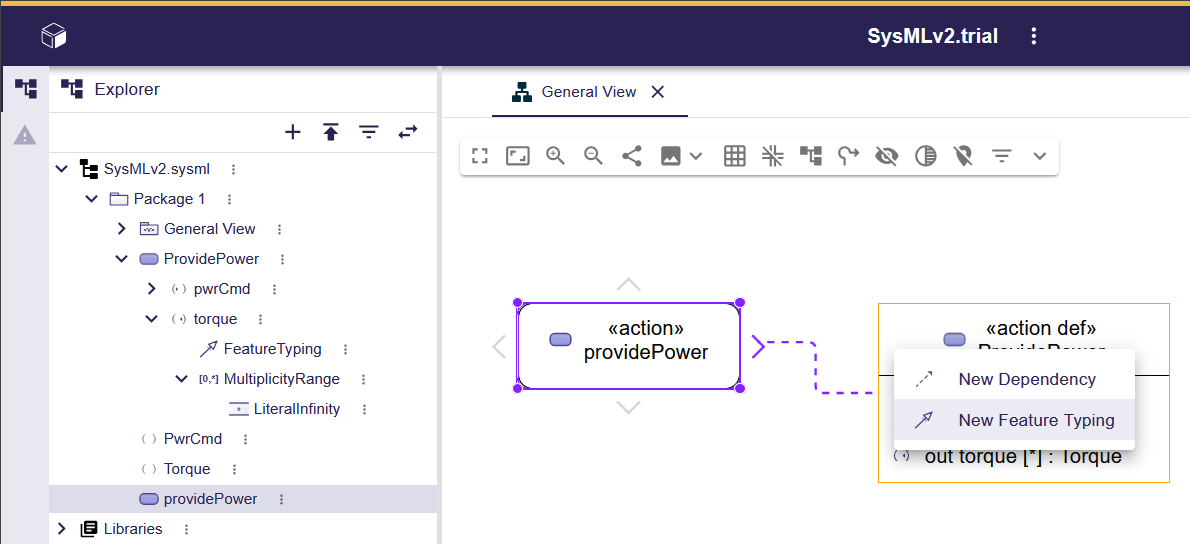
Select "providePower", then drag and drop the ">" icon displayed outside the four edges of the element onto "ProvidePower". From the resulting context menu, select "New Feature Typing".
In the same way that parameters were added to the Action Definition, add Items to the Action Usage "providePower".
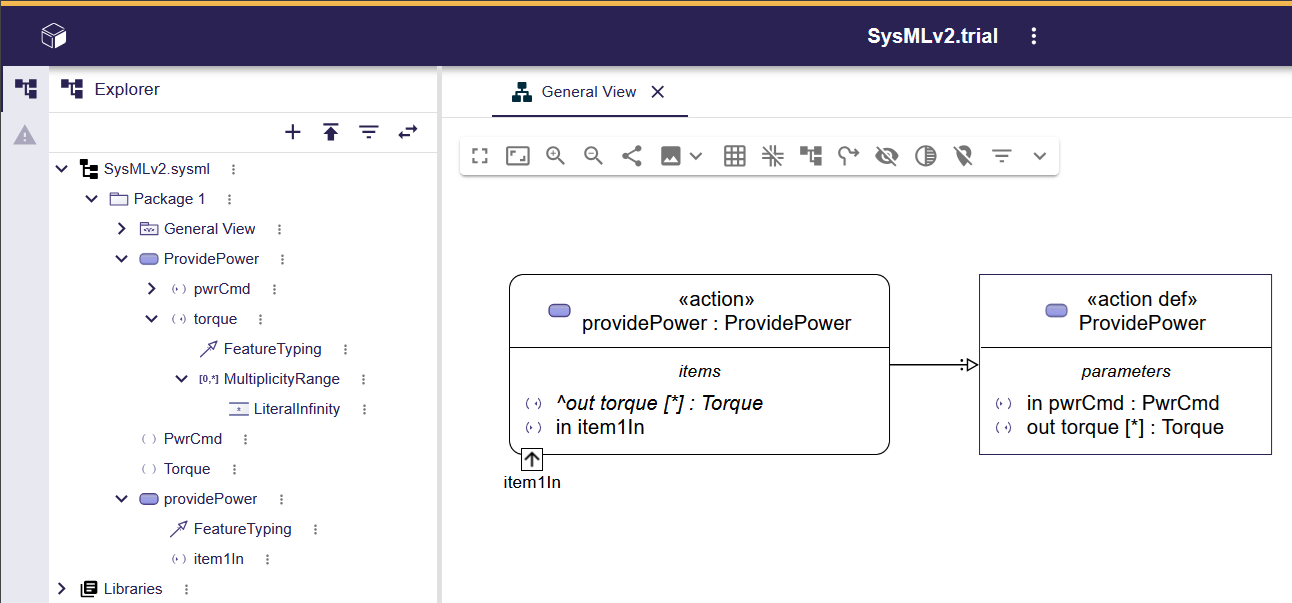
Using "Manage Visibility", hide "item1In", and rename "item1In" to "fuelCmd : FuelCmd :>> pwrCmd".
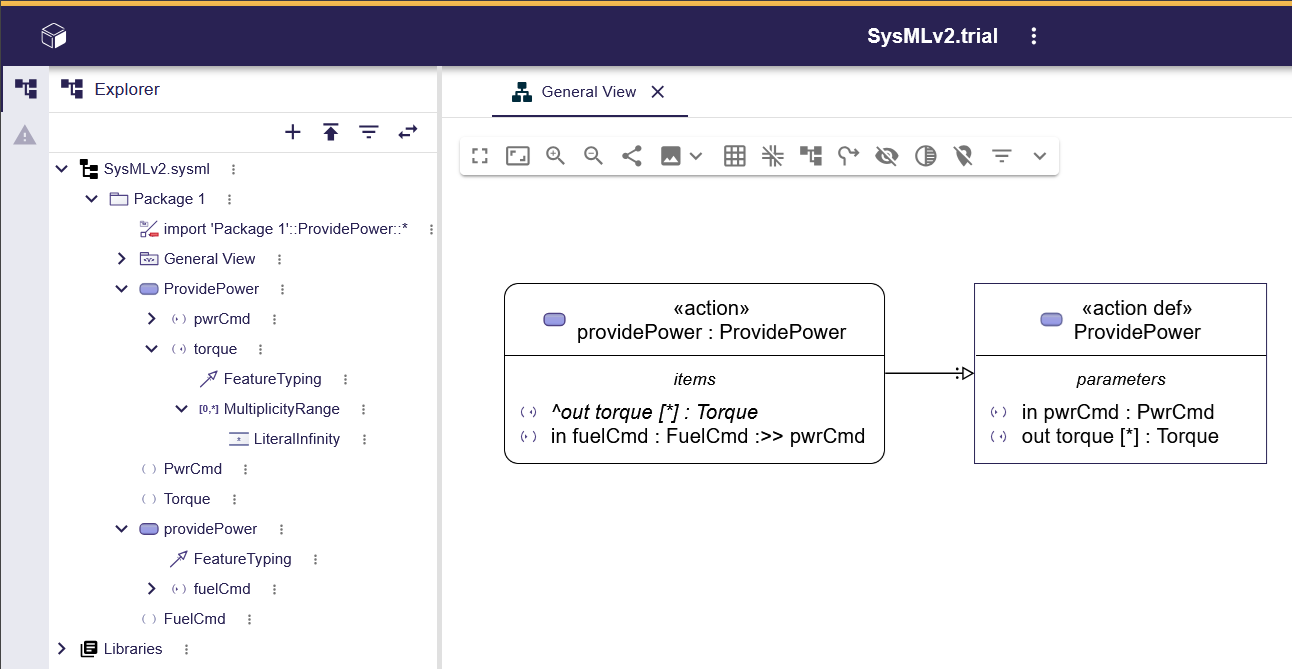
There are some visual differences, but semantically it's the same thing.
Decomposition of Action Usages
#Let's create the diagram from slide 51 of "Intro to the SysML v2 Language-Graphical Notation.pdf".
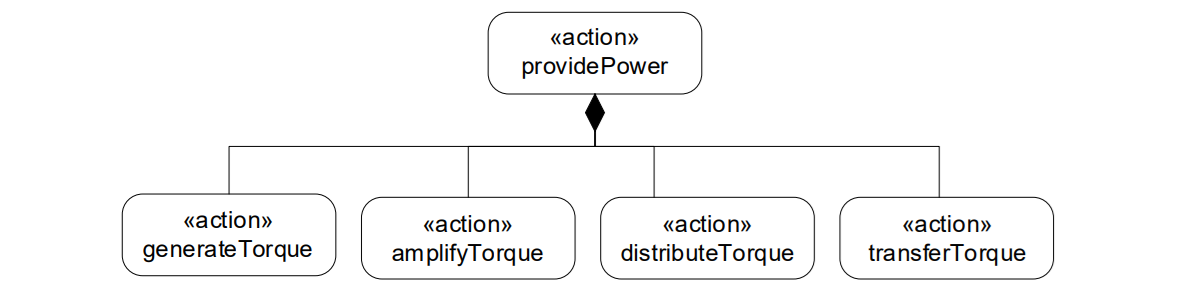
Create four Action Usages ('generateTorque', 'amplifyTorque', 'distributeTorque', 'transferTorque').
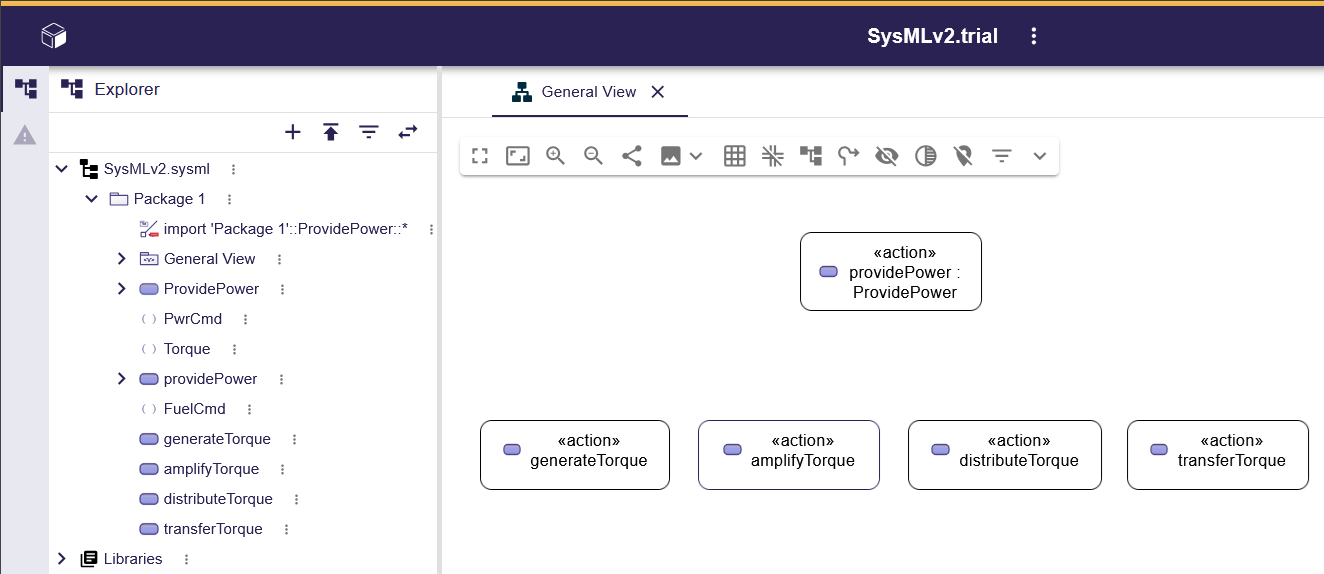
Action Usage decomposition could not be drawn in the editor screen. (Perhaps this will be supported in a future release.)
In the tree in the left sidebar, select the four Action Usages you just created and drag and drop them onto "providePower". A decomposition will then be displayed between the dragged Action Usages and "providePower".
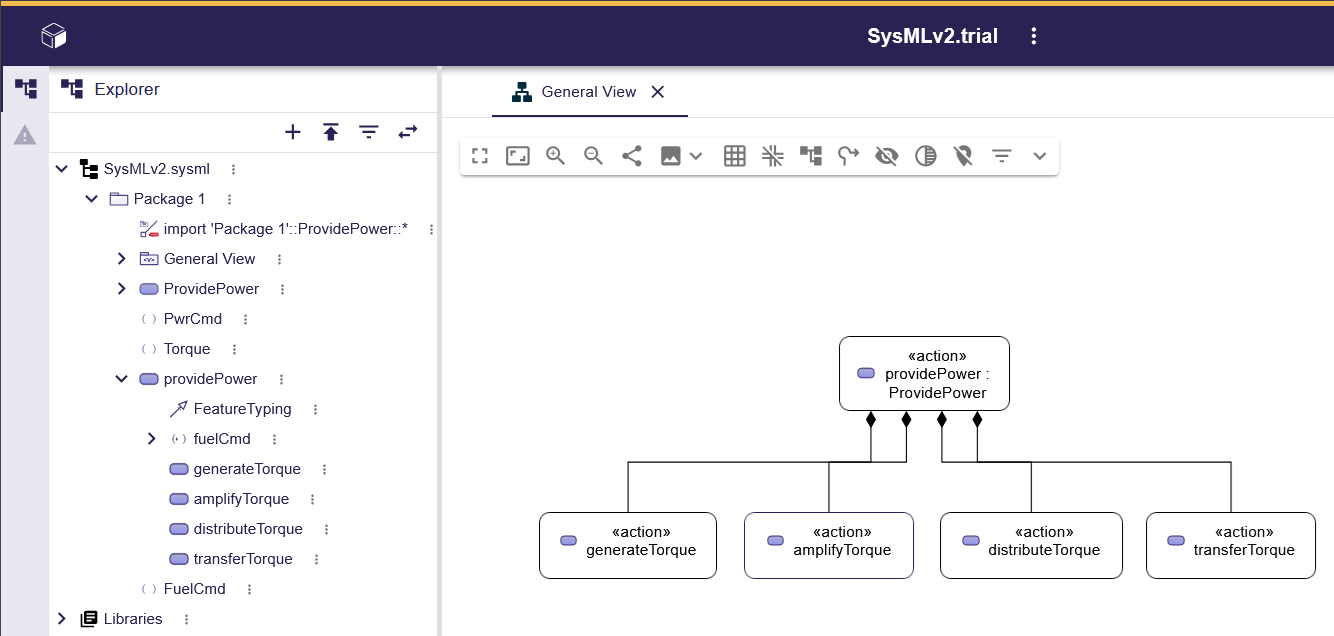
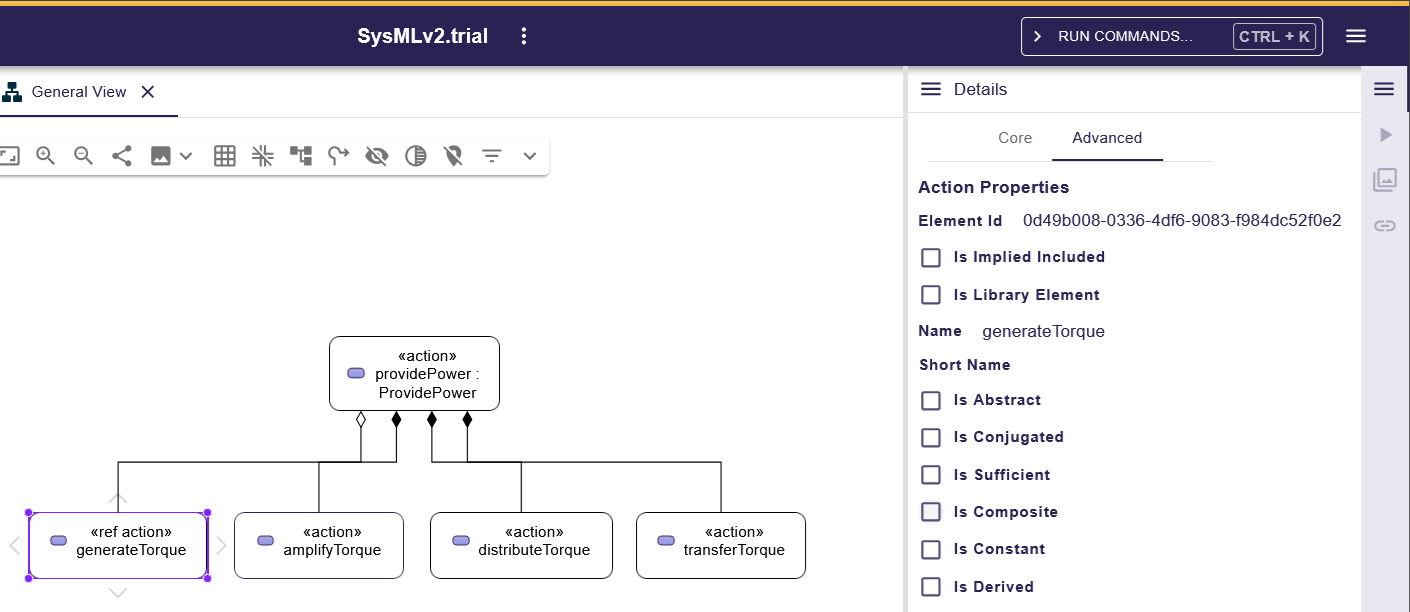
To make it a reference, select the desired Action Usage. In the right sidebar, select the "Advance" tab and uncheck "Is Composite". The stereotype of the target Action Usage will change from "action" to "ref action", and the filled black diamond on the "providePower" side will become hollow.
Decomposition of Action Definitions and Action Usages
#According to the SysMLv2 specification, you can also use Action Usage as a part of an Action Definition.
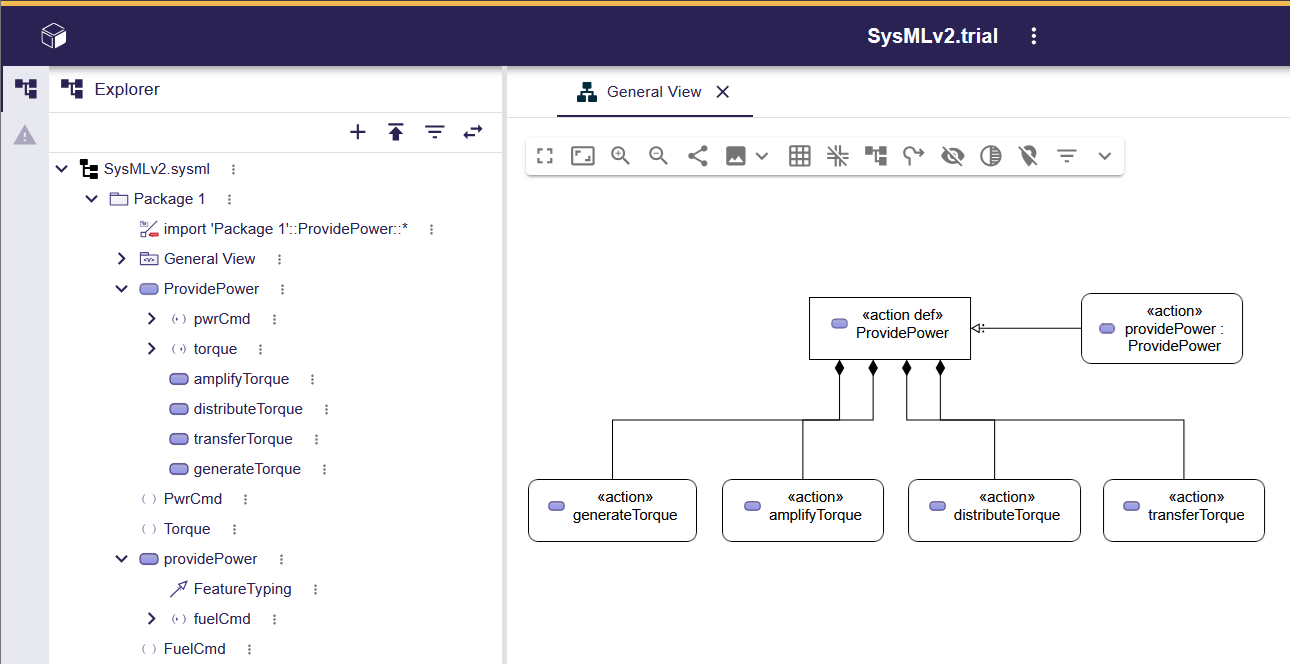
Let's change "providePower" in the slide 51 diagram into the Action Definition "ProvidePower".
Drag "ProvidePower" from the tree in the left sidebar onto the editor screen. Then, in the left sidebar's tree, move the four Action Usages that were inside "providePower" into "ProvidePower". After removing the ports from the diagram via "Manage Visibility", it will look like the picture below.
Troubleshooting Errors When Launching SysON
#So far, we've started and stopped SysON several times. Occasionally, errors occur on startup and SysON fails to launch. In such cases, try removing unused Docker resources with the following command:
docker system prune
After pruning, restart SysON in Docker.
Next Time
#In this article, we created Action Definitions and Action Usages. We also modeled the decomposition of Actions.
Next time, we will connect Action Usages to create an Action Flow.
